# Severe graphical distortion on coloured (gradient) sections IS BACK!
**URL:** https://forum.pinegrow.com/t/severe-graphical-distortion-on-coloured-gradient-sections-is-back/11430
**Category:** Bug Reports
**Tags:** bug
**Created:** [February 21, 2026, 11:00am UTC](https://forum.pinegrow.com/t/severe-graphical-distortion-on-coloured-gradient-sections-is-back/11430 "2026-02-21T11:00:01Z")
**Posts on this page:** 5
**Page:** 1
### Author:  [@TEMPEST](https://forum.pinegrow.com/u/TEMPEST)
#### Post date: [February 21, 2026, 11:00am UTC](https://forum.pinegrow.com/t/severe-graphical-distortion-on-coloured-gradient-sections-is-back/11430/1 "2026-02-21T11:00:02Z")
As mentioned in this now closed thread: [Severe graphical distortion on coloured (gradient) sections (SOLVED) - #11](https://forum.pinegrow.com/t/severe-graphical-distortion-on-coloured-gradient-sections-solved/11417/11)
It’s now back (for me at least) and it’s not happening in my project. It’s now happening 100% of the time on the Pinegrow Responsive Pine Trees tutorial.
Here is a shakycam video showing how just moving the mouse (not clicking) is causing the renderer to fail, but it’s only in pinegrow - if I minimise the window, you can see the desktop and other apps are not affected (just like in the previous thread) it’s only the pinegrow renderer that’s having issues.
[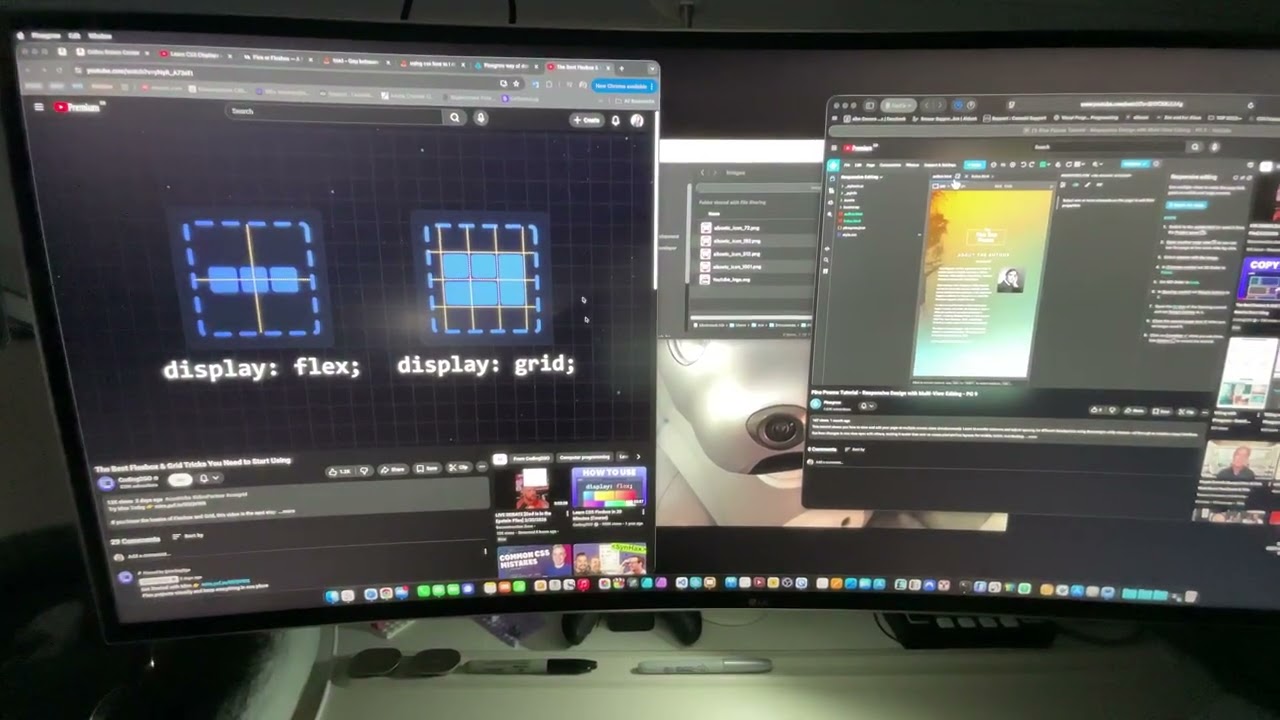 ](https://www.youtube.com/watch?v=uRMs741DZQ8)
---
### Author:  [@TEMPEST](https://forum.pinegrow.com/u/TEMPEST)
#### Post date: [February 21, 2026, 11:51am UTC](https://forum.pinegrow.com/t/severe-graphical-distortion-on-coloured-gradient-sections-is-back/11430/2 "2026-02-21T11:51:54Z")
I’ve run all the diagnostics that Apple provide on my M2 Macbook Air, rebooted (of course) and it’s still happening from a clean boot (not reopening previous apps) and just launching Pinegrow and opening the responsive lesson.
I don’t believe it’s hardware.
Here’s my M2 Specs:


Interesting update:
I use my external monitor (LG 38UC99) as my primary monitor, when Pinegrow is glitching, if I drag pinegrow and move it to the built-in display of my macbook, the glitching stops.
If I then drag that same window back to my external monitor the glitching does not come back.
There is not graphical issues with the monitor in any other apps, nor when I’m using it on my gaming PC.
It’s not a hardware fault.
Having display helpers on/off makes no difference.
---
### Author:  [@TEMPEST](https://forum.pinegrow.com/u/TEMPEST)
#### Post date: [February 23, 2026, 12:30pm UTC](https://forum.pinegrow.com/t/severe-graphical-distortion-on-coloured-gradient-sections-is-back/11430/3 "2026-02-23T12:30:28Z")
More info:
When I said about moving the PG window to the internal display and back fixes it - I spoke too soon. It did the first time.
Subsequent times it’s not making any difference.
---
### Author:  [@Emmanuel](https://forum.pinegrow.com/u/Emmanuel)
#### Post date: [February 26, 2026, 8:40am UTC](https://forum.pinegrow.com/t/severe-graphical-distortion-on-coloured-gradient-sections-is-back/11430/4 "2026-02-26T08:40:36Z")
@TEMPEST I can picture the problem you’re having, but I can’t reproduce it. Since I haven’t seen other reports like yours from different setups or hardware, I’m going to assume it’s specific to your system and related to things like your external monitor, its refresh rate, other technical details, installed software, failing components, or maybe NWJS/Chrome (part of Pinegrow) interacting with your particular software and hardware combo. Hopefully this will be fixed in a Chrome or NWJS update in the future?
That’s out of my reach right now, and it doesn’t look like a “Pinegrow bug”. Unfortunately, it seems to be an isolated issue with your setup.
If we get other reports sent to our support email [Contact Us | Pinegrow Web Editor](https://pinegrow.com/contact-us/) (which is the best place to start a support request about a bug), we’ll definitely investigate further. For now I’ll go ahead and close this thread.
---
### Author:  [@Emmanuel](https://forum.pinegrow.com/u/Emmanuel)
#### Post date: [February 26, 2026, 8:40am UTC](https://forum.pinegrow.com/t/severe-graphical-distortion-on-coloured-gradient-sections-is-back/11430/5 "2026-02-26T08:40:45Z")